
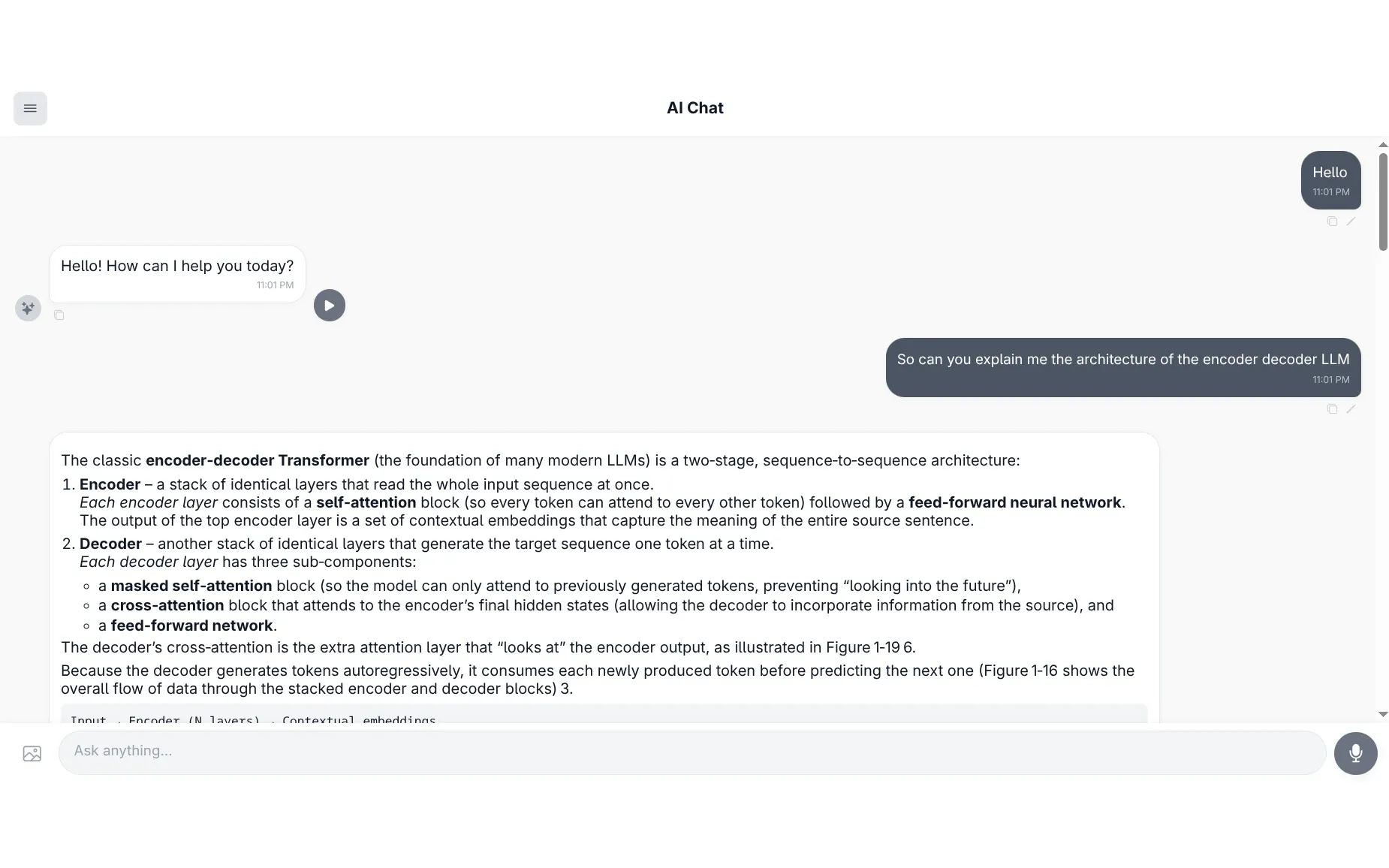
Ringo
Ringo is a chat app for your own documents. Give it a textbook, a stack of reports, meeting slides or a spreadsheet, and ask questions about them in plain language.
Every answer tells you where it came from, with clickable citations back to the exact page or slide, so you can check it rather than take its word for it. You can type or speak your question, have the answer read back aloud, or show it a picture and ask about that.
Ringo is fully self-hostable. Your documents are indexed and stored locally, and only your question and the relevant excerpts are sent to the language model.
Key Features
Grounded, Checkable Answers
- Inline Citations – Answers cite
[n]markers that expand to show the source file, page or slide, and the passage itself - Hallucination Filtering – Citation numbers that don’t match a retrieved passage are stripped server-side, even mid-stream
- Groundedness Caveat – Answers produced without any matching context are flagged as possibly not grounded in your documents
Reads the Formats You Already Have
- Broad Document Support – PDF, Word, PowerPoint, Excel, CSV, HTML and Markdown
- OCR on Images – Text inside charts, diagrams and scanned pages is extracted with Tesseract and made searchable
- Structure Indexing – Tables of contents, headings and slide titles are indexed, so “what sections are in this book?” just works
Text, Voice and Images
- Voice Input – Questions are transcribed locally with OpenAI Whisper
- Read-Aloud Answers – On-demand text-to-speech via edge-tts
- Image Chat – Upload an image and ask about it; follow-ups like “what’s in that picture?” are routed back to the vision model
Built to Run Yourself
- One-Command Setup –
docker compose upbrings up the whole stack - Conversation Memory – Redis-backed history, persisted to SQLite so it survives restarts
- Admin-Protected Documents – Uploading and deleting documents requires an admin key
- Local Analytics – Queries, latency and sources logged to SQLite and viewable in an admin dashboard
How It Works
- Ingest – Documents are parsed, split on paragraph and heading boundaries, and images are OCR’d
- Rewrite – Vague or multi-part questions are expanded into alternate phrasings to widen recall
- Retrieve – Hybrid search runs BM25 keyword search and semantic search over ChromaDB in parallel
- Rerank – A cross-encoder narrows the results to the 10 most relevant passages
- Generate – A Groq-hosted model answers from those passages, with simple queries routed to a faster model tier
- Verify – Citations are checked against what was actually retrieved before you see them
Tech Stack
Backend
- FastAPI – High-performance Python API with SSE streaming and per-endpoint rate limiting
- Groq – Fast text generation with automatic model tiering, plus a vision model for image chat
- ChromaDB – Persistent vector storage
- HuggingFace – Local embeddings (all-MiniLM-L6-v2) and cross-encoder reranking
- OpenAI Whisper – Local audio transcription
- Redis – Conversation memory and response caching
Frontend
- React + TypeScript – Chat, settings and admin dashboard
- Vite – Fast builds and dev server
Infrastructure
- Docker Compose – Single-command deployment, with the API proxied through the frontend
- GitHub Actions – Tests, dependency CVE audit, lint and build on every push
Project Goals
- Make answers from your own documents trustworthy by making every claim checkable
- Keep documents private by running everything on your own machine
- Support the file formats people actually use, including the text inside images
- Stay simple to run, with no subscription or vendor lock-in
Contributing
Issues and pull requests are welcome. See the contributing guide for dev setup, how to run the tests, and what CI checks.